
PNG vs JPG for Transparent Images
Part of the guide: Transparent background

When you remove a background, the file format you save in decides whether the transparency survives.

The short comparison
| PNG | JPG | WebP | |
|---|---|---|---|
| Transparency | Yes | No | Yes |
| Compression | Lossless | Lossy | Both lossy and lossless |
| File size for photos | Large | Small | Small to medium |
| Best for | Cutouts, logos, graphics | Photos on solid backgrounds | Web use, smaller transparent images |
| Support | Everywhere | Everywhere | All modern browsers; some older software is limited |
PNG: the safe choice for cutouts
PNG stores an alpha channel and compresses without losing detail. The cost is size: a photographic PNG can be several times larger than the same JPG. For design work and for keeping a master copy, that is a fair price.
JPG: small, but no transparency
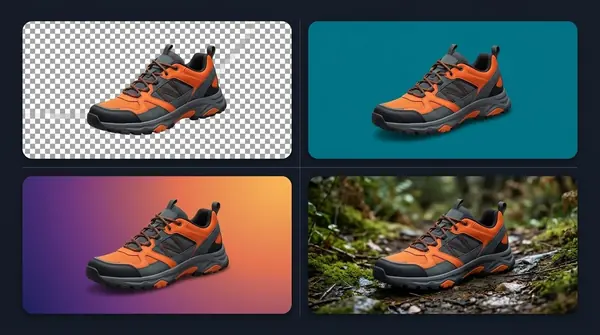
JPG throws away some detail to make files small, and it has no alpha channel. If you save a transparent image as JPG, the transparent area gets filled with a solid colour, usually white or black. That is fine when you want a white product background, and wrong when you want to place the subject on something else.
WebP: PNG-like transparency, smaller files
WebP supports transparency and usually makes smaller files than PNG for web images. It is a good choice for websites. Check that every app in your workflow can open it before you rely on it as a master.
Which one for which job?
- Master cutout to keep: PNG.
- Image for your website with transparency: WebP, with PNG as a fallback if needed.
- Marketplace main image on white: JPG or PNG on a white fill.
- Photo to email or share with no transparency needed: JPG.
Common mistake
Exporting the final cutout as JPG and then wondering why it has a box around it. Keep a transparent PNG master, and make JPG copies only for specific uses.
BG Remover Pro exports PNG with transparency, JPEG or WebP, and when you export a transparent image as JPEG it fills the background with white. See transparent backgrounds for the full picture.
Frequently asked questions
Does JPG support transparency?
No. JPG has no alpha channel, so transparent areas are filled with a solid colour.
Is PNG better than JPG?
For transparency and sharp graphics, yes. For ordinary photos where small file size matters, JPG is usually better.
Should I use WebP instead of PNG?
For websites, often yes, because files are smaller and browsers support it. Keep a PNG master for editing.
Why is my PNG so large?
PNG is lossless, so photographic images produce large files. Use WebP or JPG for delivery when transparency is not required.

Need to do this for a whole folder?
BG Remover Pro is the Mac app we make. It removes backgrounds in bulk, on your Mac, with nothing uploaded, and you can try 20 images free. See pricing or what it does.