
How to Remove the Background From Multiple Images at Once
Part of the guide: Bulk background removal

Here is the batch workflow step by step, using BG Remover Pro as the worked example because it is the tool we know best. The same stages apply to any batch tool.
Before you start
- Put all files in one folder with clear names.
- Make sure they are the right format. BG Remover Pro imports PNG, JPG, JPEG and WebP.
- Group similar images. Products together, people together.
- Keep your originals untouched in another place.

Step by step
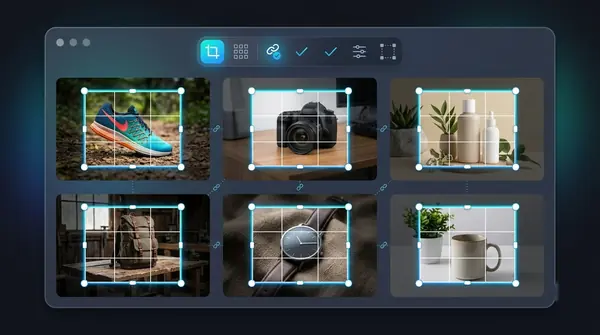
- Add the images. Drag the folder or the files into the queue. You can keep adding more images later.
- Choose the background. Transparent, a solid colour or your own backdrop image.
- Choose the export format. PNG keeps transparency; JPEG and WebP are also available.
- Pick the model. There are general, lite, people, clothing and portrait models. Turn on alpha matting for hair and fur, which is slower.
- Test a few first. Run the batch on five representative images and check them before queuing everything.
- Process the batch. A progress bar shows how far along the queue is, and you can cancel and resume.
- Review every result. Each card has its own before/after slider. Zoom in on the edges.
- Fix the exceptions. Re-run a few images with a different model, or use Erase to paint out a leftover object.
- Export. Download all as a ZIP, or save straight into a folder.
Tips that save time
- Consistent source photos give consistent results. The biggest quality factor is how the photos were taken.
- Choose settings once. Changing models mid-run makes the set inconsistent.
- Name files before you start. Outputs keep the original names, so clear input names mean clear output names.
- Do bad ones last. Handle the exceptions after the bulk is done.
Free versus paid for batches
Many online tools charge per image or cap free use, which gets expensive at volume. BG Remover Pro is a one-time purchase with no limit on images, and your first 20 are free to try. It runs only on Apple Silicon Macs (macOS 14 or later). On other systems, choose a batch tool for your platform. Our overview: bulk background removal.
Frequently asked questions
How do I remove the background from many photos at once?
Use a batch background remover. Add all the images, choose one model and output, run the batch, review, and export as a ZIP or folder.
How many images can I process at once?
It depends on the tool. BG Remover Pro has no limit on the number of images in a batch.
Will batch processing be lower quality than doing images individually?
Not inherently, but one set of settings may not suit every image. Review each result and re-run the exceptions.
Can I put every product on a white background in one go?
Yes, if the tool supports a solid colour fill. Choose white and export as JPEG or PNG.

Need to do this for a whole folder?
BG Remover Pro is the Mac app we make. It removes backgrounds in bulk, on your Mac, with nothing uploaded, and you can try 20 images free. See pricing or what it does.